
Piip / Apps / Domain Check

Domain Check
Domain availability checker · RDAP + WHOIS
Check any domain in seconds. Bulk-check a whole list, see the raw RDAP/WHOIS, and keep a private on-device history. No accounts, no ads, no tracking.
Android APK is published on GitHub Releases — auto-updates nicely via Obtainium. Free · iOS 18+ · Android 8+.
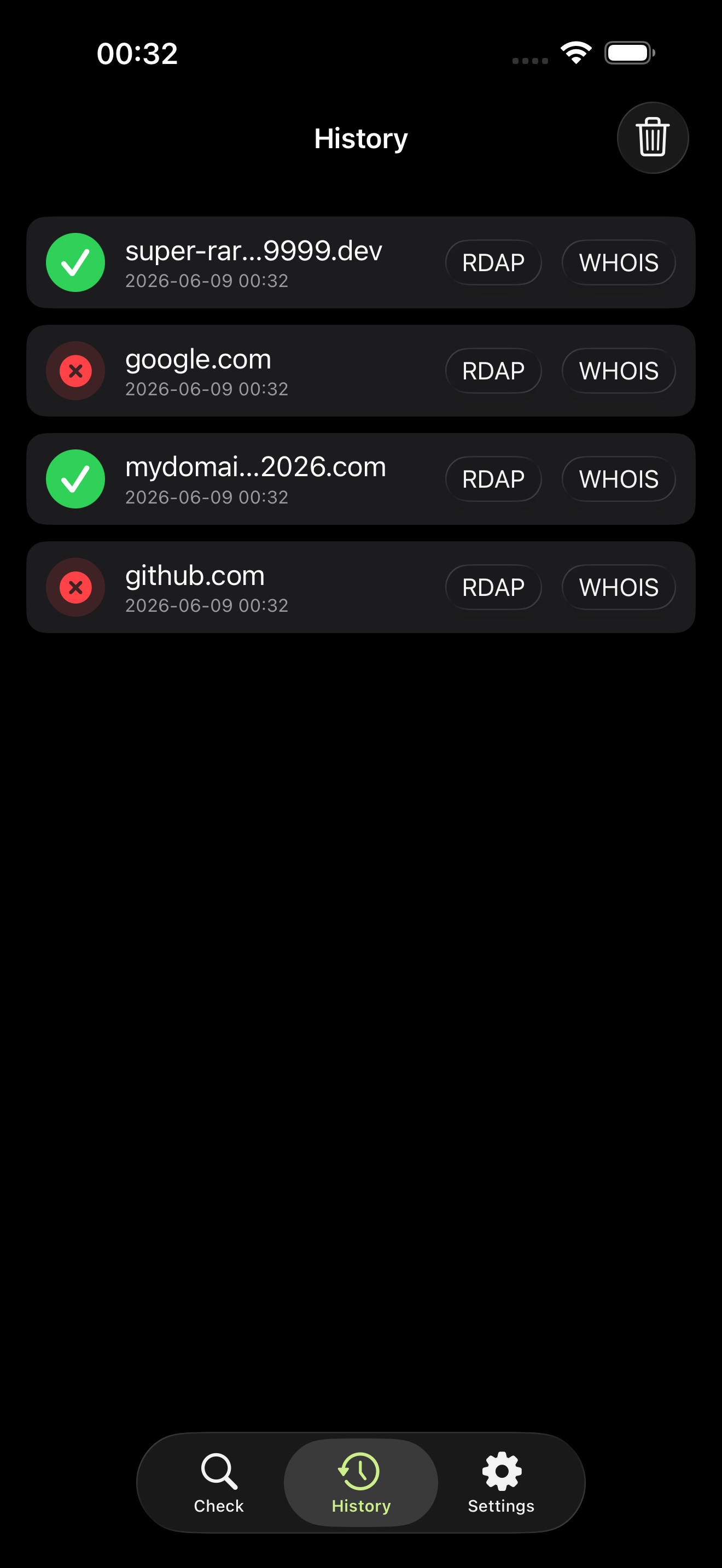
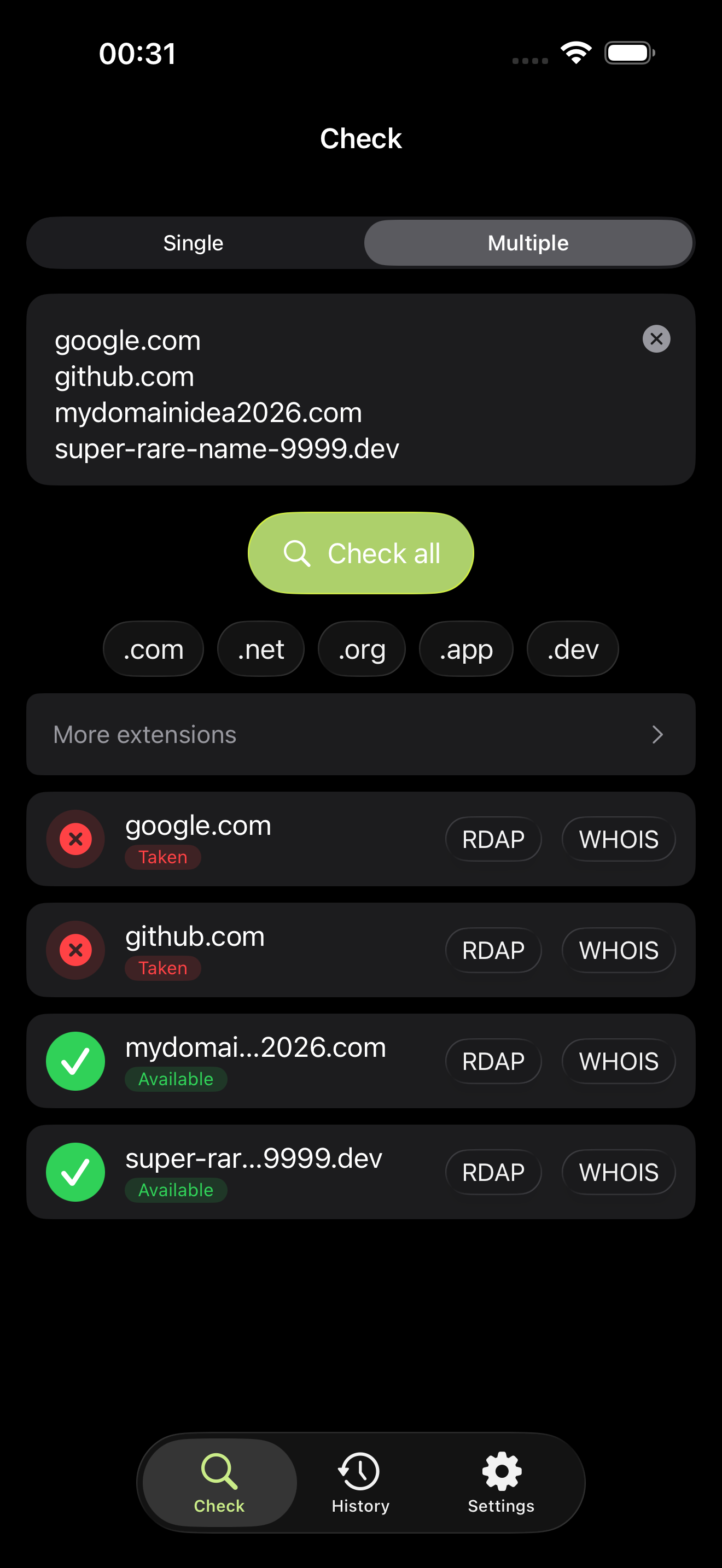
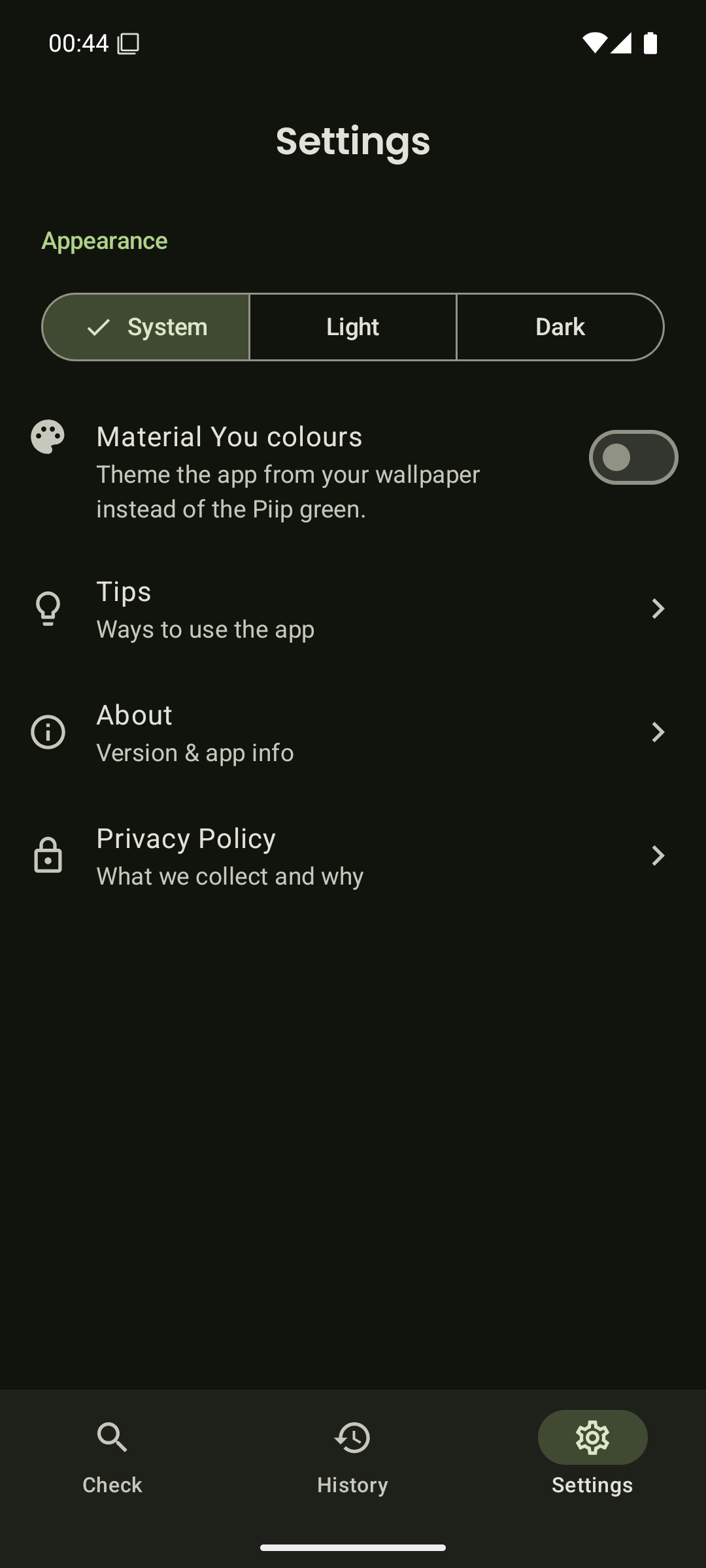
Everything you need to claim a name.
The same authoritative sources registrars use — wrapped in a fast, native app that respects you.
Single or bulk
Check one domain, or paste a whole list and check them all at once.
RDAP + WHOIS
Queries the official registration system via RDAP, falling back to WHOIS where needed.
Share to check
Hit Share from any app → Domain Check, and the name is looked up instantly.
Popular extensions
.com .net .org .app .dev one tap away — plus the full list of country-code TLDs.
The raw answer
View the full RDAP and WHOIS responses whenever you want the details.
Private history
Your lookups are saved only on your device — and you can clear them anytime.
18 languages
Localised into 18 languages with full right-to-left support, light and dark.
Material You
On Android, optional theming from your wallpaper. Native Liquid Glass on iOS.
The only thing that leaves your phone is the domain you typed.
It's sent to the registry to check availability — nothing else. There's no account to make, nothing to log in to, and no profile of you anywhere. We can't see your searches because they never reach us.
Authoritative answers, no middleman.
Domain Check asks the registries the same way registrars do — so an “available” really means available, not an upsell. Full read-out: privacy policy ↗.
Or paste a list, or share a link from another app.
The modern, structured lookup protocol — straight to the source of truth.
For TLDs that don't speak RDAP yet, WHOIS answers instead.
Available, registered, or unknown — with the raw response a tap away.